How to Convert PDF to Excel (Step-by-Step Guide for Accurate Data Extraction)
PDF files are widely used for sharing documents because they preserve formatting and look the same on every device. However, when you need to extract tables or data from a PDF and edit it in Excel, things can become difficult.
That’s where PDF to Excel conversion becomes useful.
If you have a financial report, invoice, bank statement, or data table stored in a PDF, converting it to Excel allows you to edit, analyze, and calculate the data easily.
In this guide, you will learn how to convert PDF to Excel quickly and accurately using an online tool, along with tips to maintain formatting and improve efficiency.
What is PDF to Excel Conversion?
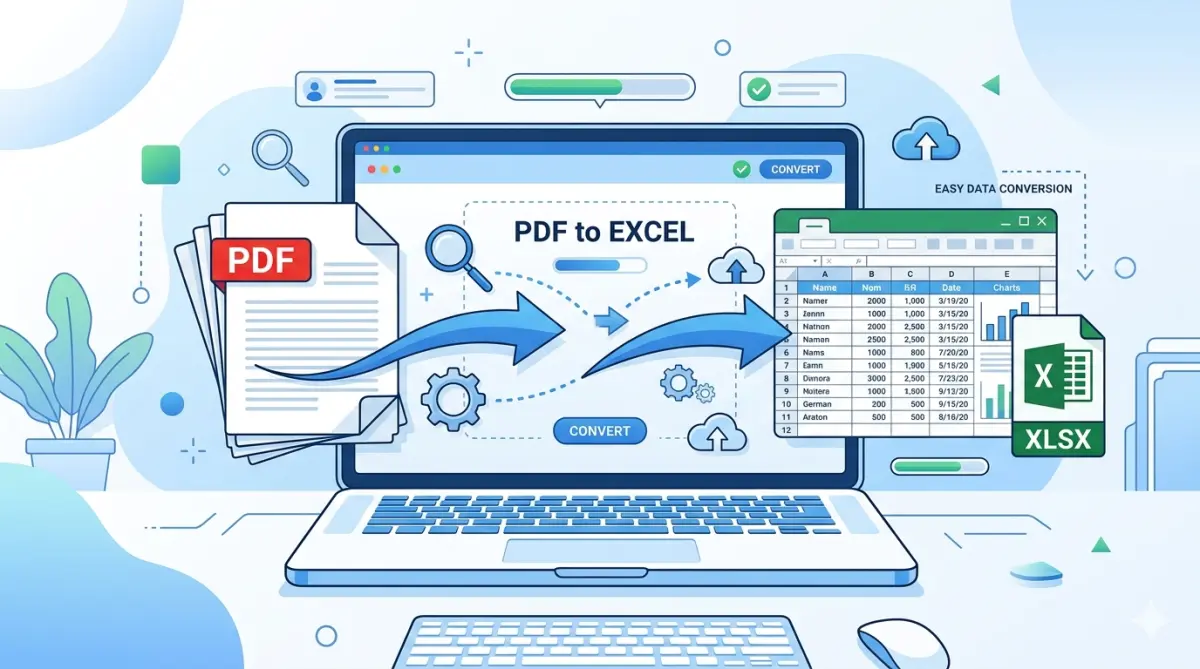
PDF to Excel conversion is the process of extracting tabular data from a PDF document and converting it into an editable Microsoft Excel spreadsheet (.xlsx or .xls format).
This process helps users:
- Edit data easily
- Perform calculations and formulas
- Analyze financial reports
- Organize large datasets
- Save time on manual data entry
Many professionals like accountants, business analysts, students, and office workers rely on PDF to Excel tools to manage data efficiently.
Why Convert PDF to Excel?
Here are some common reasons people convert PDF documents into Excel spreadsheets.
1. Easy Data Editing
PDF files are usually non-editable, while Excel allows users to edit numbers, text, and formulas quickly.
2. Data Analysis
Excel provides powerful tools such as:
Pivot tables
Charts and graphs
Sorting and filtering
Mathematical formulas
These features make Excel ideal for analyzing data extracted from PDFs.
3. Save Time
Manually typing data from a PDF into Excel can take hours. A PDF to Excel converter automates the process, saving valuable time.
4. Better Organization
Excel spreadsheets allow you to organize data into rows and columns, making information easier to manage and understand.
How to Convert PDF to Excel Online (Step-by-Step)
You can convert your files using an online tool without installing any software.
Follow these simple steps:
Step 1: Open the PDF to Excel Tool
Visit our free online converter:
PDF to EXCEL
This tool allows you to convert PDF documents into Excel spreadsheets instantly.
Step 2: Upload Your PDF File
Click the Upload PDF button and select the document from your device.
Supported files include:
- Bank statements
- Invoices
- Data reports
- Tables inside PDFs
Step 3: Start the Conversion
After uploading the file, click the Convert button.
The tool will automatically process the PDF and extract tabular data.
Step 4: Download the Excel File
Once the conversion is complete, you can download the Excel (.xlsx) file and open it in Microsoft Excel or Google Sheets.
Now you can edit, analyze, or organize the data freely.
Benefits of Using an Online PDF to Excel Tool
Online converters provide several advantages compared to manual methods.
No Software Installation
You don’t need to install any applications. Everything works directly in your browser.
Fast Conversion
Most files are converted within a few seconds.
Accurate Table Detection
Modern tools detect tables automatically and convert them into Excel rows and columns.
Works on Any Device
You can convert files using:
- Windows PC
- Mac
- Android phone
- iPhone
- Tablet
Tips for Accurate PDF to Excel Conversion
To get the best results during conversion, follow these tips.
Use High-Quality PDFs
Clear and well-formatted PDFs convert more accurately than scanned or low-resolution files.
Check Table Formatting
After conversion, review the Excel file and adjust column widths or formatting if needed.
Avoid Image-Only PDFs
If the PDF is only an image, an OCR (Optical Character Recognition) tool may be required to extract text.
Verify Numbers and Data
Always double-check important numbers like financial data, totals, and calculations.
Best Use Cases for PDF to Excel Conversion
PDF to Excel tools are commonly used in many industries.
Finance and Accounting
Accountants convert bank statements, invoices, and expense reports into Excel for analysis.
Business Reports
Companies convert sales reports and performance data from PDF into Excel spreadsheets.
Students and Researchers
Students often extract statistical tables and research data from PDF documents.
Data Entry Work
Businesses save time by converting PDFs instead of manually typing data.
Is It Safe to Convert PDF to Excel Online?
Most modern online tools process files securely.
Good PDF converters:
- Do not store files permanently
- Automatically delete files after processing
- Use secure servers for file handling
Always use trusted tools to ensure data privacy and security.
PDF to Excel vs Manual Data Entry
| Method | Time Required | Accuracy | Ease of Use |
|---|---|---|---|
| Manual typing | Very slow | High risk of mistakes | Difficult |
| PDF to Excel tool | Very fast | High accuracy | Very easy |
Using a converter is clearly more efficient and reliable.
Frequently Asked Questions (FAQ)
1. Can I convert PDF to Excel for free?
Yes. Many online tools allow free PDF to Excel conversion without registration.
2. Will the tables stay formatted in Excel?
Most tools preserve table structure, but minor formatting adjustments may sometimes be required.
3. Can I convert scanned PDFs to Excel?
Yes, but you need a converter with OCR technology to extract text from images.
4. Does PDF to Excel work on mobile devices?
Yes. Online converters work on smartphones, tablets, and computers.
5. What file format will I get after conversion?
You will typically receive an Excel (.xlsx) file that can be opened in Microsoft Excel or Google Sheets.
Conclusion
Converting PDF files to Excel is one of the most effective ways to extract and manage data quickly. Instead of manually copying information, you can use an online converter to transform tables and numbers into a fully editable spreadsheet within seconds.
Whether you are working with financial reports, invoices, research data, or business documents, a reliable PDF to Excel tool can save time and improve productivity.
If you want a fast, secure, and easy solution, try our free online converter here:
https://www.nazranapdf.in/tools/pdf-to-excel/
Convert your PDF files to Excel instantly and start working with your data more efficiently.