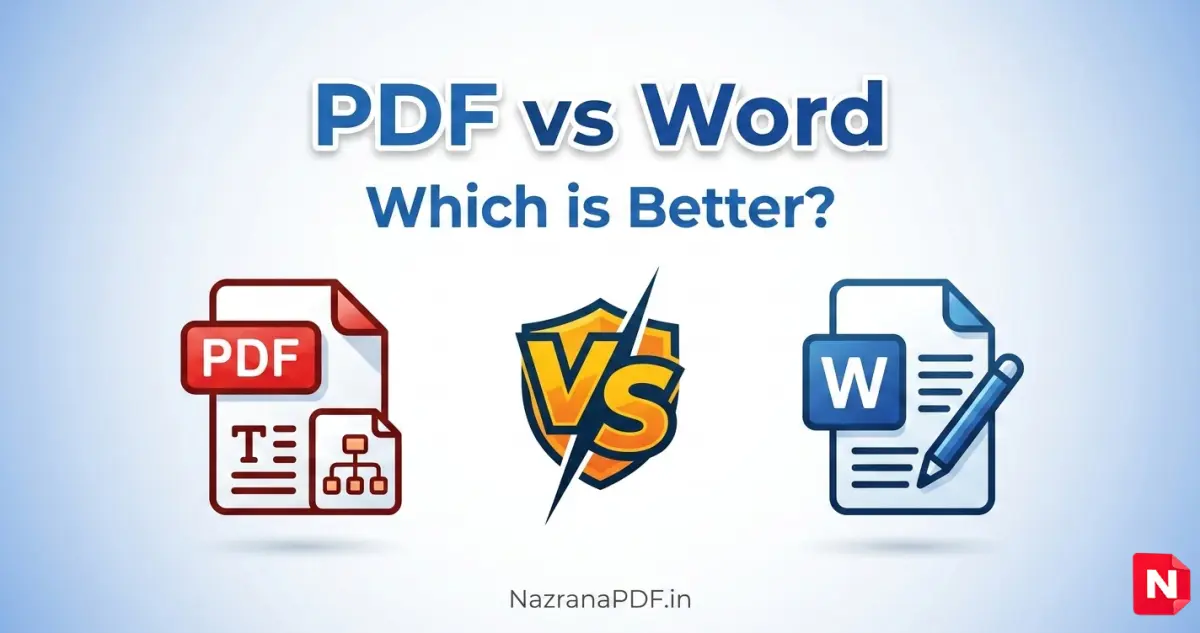
PDF vs Word: Which is Better and When?
In the digital world, documents are an essential part of daily work. Whether you are a student, business professional, blogger, or designer, you regularly create and share documents. Two of the most commonly used document formats are PDF (Portable Document Format) and Microsoft Word (DOC/DOCX).
Many people often ask: Which format is better—PDF or Word? The answer depends on how you want to use the document. Both formats have their own advantages and specific use cases.
In this article, we will compare PDF vs Word, explain their features, and help you decide when to use each format.
What is a PDF File?
A PDF (Portable Document Format) is a file format designed to present documents exactly as they appear, regardless of the device, operating system, or software used to open them.
PDF files maintain consistent formatting, including fonts, images, layouts, and graphics. This makes them perfect for sharing documents that should look the same everywhere.
PDFs are widely used for:
- Official documents
- Contracts and agreements
- eBooks
- Reports
- Forms
- Resumes
- Online downloads
One major advantage of PDFs is security. You can add password protection, restrict editing, and even add digital signatures.
What is a Word File?
A Word file is created using Microsoft Word and usually has extensions like .DOC or .DOCX. Word documents are designed for editing and writing content.
Unlike PDFs, Word files are easily editable. You can change text, fonts, formatting, images, and layouts at any time.
Word documents are commonly used for:
- Writing articles
- Drafting documents
- Editing content
- Creating reports
- Collaborative work
- Academic assignments
Because of its editing flexibility, Word is the preferred format during the document creation stage.
Key Differences Between PDF and Word
Understanding the differences between PDF and Word will help you choose the right format for your needs.
1. Editing Capability
Word files are highly editable.
You can easily:
- Change text
- Modify formatting
- Insert images
- Rearrange content
PDF files, on the other hand, are not designed for editing. While some tools allow PDF editing, it is usually more complicated compared to Word.
✔ Best for editing: Word
2. Formatting Stability
One of the biggest advantages of PDF is consistent formatting.
A Word document may look different on another computer if:
- Fonts are missing
- Software versions differ
- Page settings change
PDF files preserve the exact layout, ensuring the document looks the same everywhere.
✔ Best for formatting stability: PDF
3. Security and Protection
PDF offers better document security features, including:
- Password protection
- Restricted editing
- Digital signatures
- Encryption
Word documents can also be protected, but they are easier to modify if the protection is removed.
✔ Best for security: PDF
4. File Sharing
PDF files are ideal for sharing documents online. They are widely supported on all devices including:
- Windows
- macOS
- Android
- iPhone
- Web browsers
Word files usually require Microsoft Word or compatible software.
✔ Best for sharing: PDF
5. File Size
In many cases, PDF files are smaller, especially when optimized or compressed. This makes them easier to upload, email, or download.
However, this can vary depending on images and formatting.
✔ Usually smaller: PDF
When Should You Use a PDF?
- You should use a PDF file when:
- You want to share a final document
- You want to prevent editing
- You need professional formatting
- You are sending contracts or invoices
- You are publishing eBooks or guides
- You want a print-ready document
For example, resumes, legal agreements, reports, and downloadable guides should usually be saved as PDF files.
When Should You Use a Word Document?
- You should use a Word document when:
- You are writing or editing content
- You need to collaborate with others
- You want to update text frequently
- You are creating draft documents
- You are preparing academic assignments
Word files are best during the content creation process before the final document is exported to PDF.
Why Many Professionals Use Both Formats
In real-world workflows, people often use both Word and PDF together.
The typical process looks like this:
- Create and edit the document in Word
- Finalize the formatting
- Convert the document to PDF
- Share the PDF version
This method ensures that the document remains editable during creation and secure when shared.
Advantages of PDF
Here are some key benefits of using PDF:
- Preserves formatting on all devices
- Highly secure with password protection
- Perfect for printing and sharing
- Supported by almost every device
- Professional appearance
PDF is widely used for business documents, legal files, and downloadable content.
Advantages of Word digital document security
Word documents also offer many advantages:
- Easy to edit and update
- Ideal for writing and drafting
- Great for collaboration
- Advanced formatting tools
- Useful for academic and office work
Because of its flexibility, Word is one of the most popular document editing tools in the world.
Final Verdict: PDF vs Word document management software
There is no single winner in the PDF vs Word debate. Both formats serve different purposes.
If you need editing and content creation, Word is the better choice.
If you want secure sharing and consistent formatting, PDF is the best option.
Most professionals use Word for creating documents and PDF for sharing them.
Understanding when to use each format will help you work more efficiently and maintain professional document quality.
Conclusion
Both PDF and Word are powerful document formats that play an important role in digital communication. Word is perfect for writing and editing, while PDF is ideal for sharing and protecting documents.
By choosing the right format for the right situation, you can improve productivity, maintain formatting consistency, and ensure secure document sharing.
In most cases, the best approach is simple: create in Word and share in PDF.
FAQ
What is the difference between PDF and Word?
The main difference is that Word documents are editable while PDF files preserve formatting and are mainly used for sharing final documents.
Is PDF better than Word?
PDF is better for sharing and security, while Word is better for editing and creating documents.
Why do companies prefer PDF files?
Companies prefer PDF because it keeps formatting consistent, prevents unwanted editing, and supports digital signatures.
Can a Word file be converted to PDF?
Yes, Word documents can easily be converted to PDF using built-in tools or online PDF converters.
Which format is best for resumes?
PDF is usually the best format for resumes because it maintains formatting across all devices.
You can easily convert your document using our Word to PDF Converter for secure and professional document sharing.