Free Image to WebP Converter & Image Compressor Online (100% Free, Fast & Secure)
Introduction
In today’s digital world, image optimization is very important for website speed, SEO, and user experience. Large image files can slow down your website and affect your Google ranking. That’s why using a Free Image to WebP Converter & Image Compressor Online is the smartest solution.
If you are looking for a fast, secure, and free tool to convert images and reduce file size, then your NazranaPDF Image Converter Tool is a perfect choice. It allows you to convert images into modern formats like WebP and compress them without losing quality.
What is Image to WebP Converter?
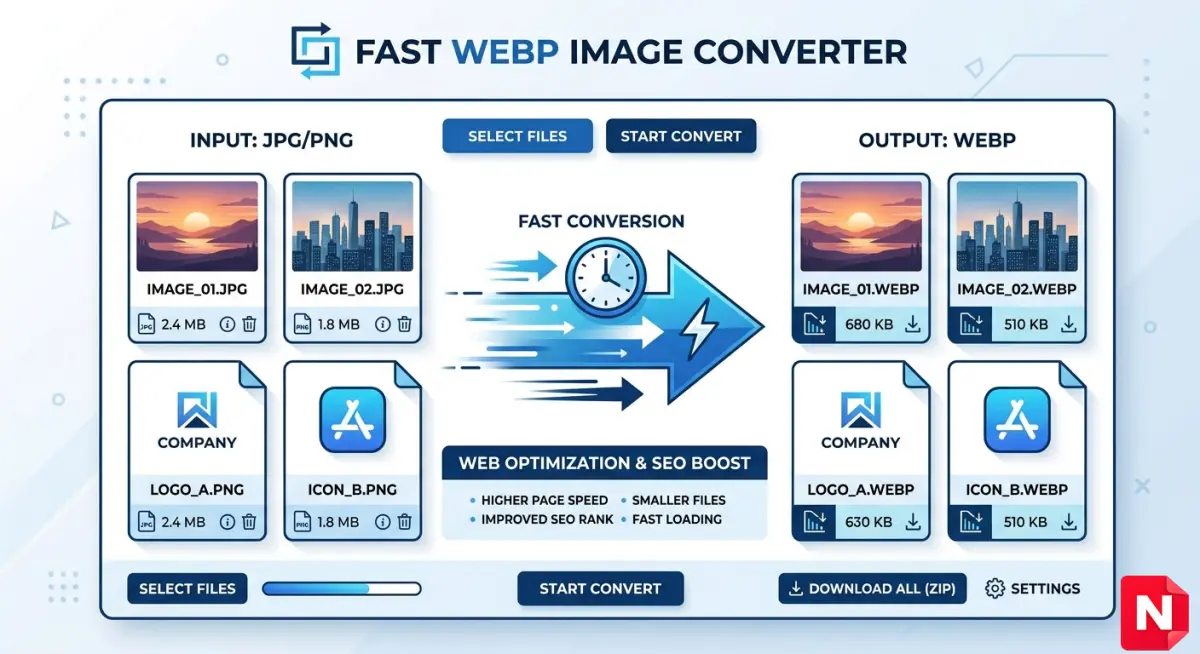
An Image to WebP converter is an online tool that converts images like JPG, PNG, or JPEG into WebP format, which is developed by Google. WebP images are smaller in size but maintain high quality.
This means:
- Faster website loading
- Better SEO ranking
- Less storage usage
Many modern tools support multiple formats and compression settings to optimize images efficiently .
Why Use WebP Format?
WebP format is becoming popular because it provides better compression compared to traditional formats.
Benefits of WebP:
- Smaller file size (up to 30-50% smaller)
- High-quality images
- Supports transparency (like PNG)
- Faster loading websites
Using WebP helps improve page speed, which is a major ranking factor for Google.
Features of Your Image Converter Tool
1. Multiple Format Support
Convert images from:
- JPG to WebP
- PNG to WebP
- WebP to JPG (if needed)
2. Image Compression
Reduce image size without losing quality. This is useful for:
- Websites
- Blogs
- Upload limits
3. Fast Processing
Your tool works instantly without long waiting time, similar to modern converters that process files quickly and efficiently .
4. 100% Free Tool
No hidden charges, no subscription.
5. No Watermark
Images remain clean and professional.
6. Secure & Private
Files are processed securely and not stored permanently, which is a key feature of trusted tools
How to Use Image to WebP Converter?
Using WebP Image Converter tool is very simple:
Step-by-Step Guide:
- Open the Image Converter tool
- Upload your image (JPG/PNG)
- Select output format (WebP)
- Adjust compression level
- Click convert
- Download optimized image
The entire process takes only a few seconds.
Why Image Compression is Important?
Image compression is essential for:
1. Faster Website Speed
Heavy images slow down your site.
2. Better SEO Ranking
Google prefers fast-loading websites.
3. Reduced Bandwidth
Smaller images use less data.
4. Improved User Experience
Visitors don’t like slow pages.
Best Use Cases
Your tool is useful for:
- Bloggers optimizing images
- Website developers improving speed
- Students uploading assignments
- Social media creators
- E-commerce product images
Image Formats Comparison
| Format | Quality | File Size | Use Case |
|---|---|---|---|
| JPG | Medium | Small | Photos |
| PNG | High | Large | Graphics |
| WebP | High | Very Small | Web use |
Why Choose NazranaPDF Image Converter?
Here you can highlight your brand strongly:
- Simple and easy interface
- Works on mobile & desktop
- No login required
- Fast processing
- All-in-one image solution
Your platform already focuses on fast, secure, and free tools, which is a major advantage for users
SEO Advantages of Using WebP Images
Switching to WebP images helps in:
- Faster Core Web Vitals
- Lower bounce rate
- Better mobile performance
- Higher ranking in Google search
Conclusion
If you want to improve your website speed and optimize images without losing quality, then using a Free Image to WebP Converter & Image Compressor Online is the best solution.
NazranaPDF tool provides everything users need — fast conversion, strong compression, and complete privacy — all in one place.
Start using it today and make your website faster, lighter, and more SEO-friendly.
FAQ
Is WebP better than JPG?
Yes, WebP offers better compression and similar quality.
Is this tool free?
Yes, it is 100% free with no watermark.
Is my data safe?
Yes, files are processed securely and not stored.